
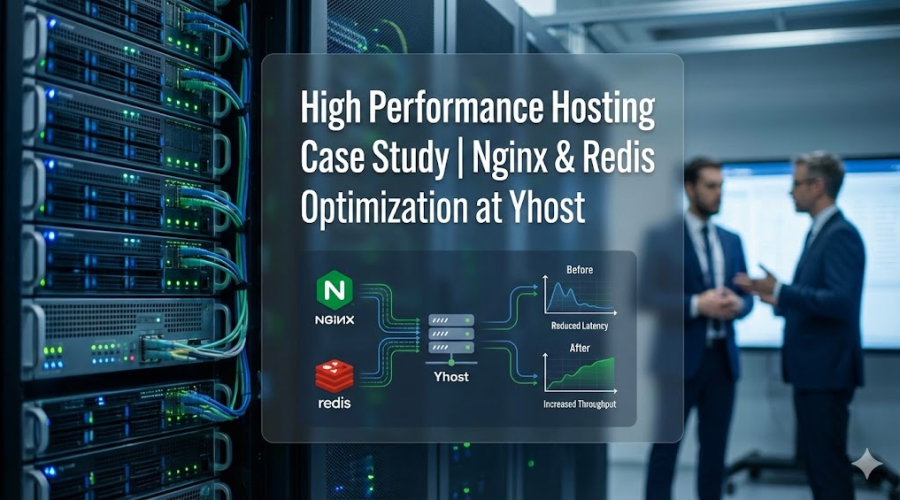
The Architecture of Speed
If there is one thing I have learned running a hosting company, it is that raw power is meaningless without control.
I talk to business owners every day who are frustrated. They come to me with a common story. They bought a "premium" VPS from a giant provider. They paid for 8 cores. They paid for 16GB of RAM. They have the specs. Yet, the moment they launch a marketing campaign or send out an email blast, their site slows to a crawl. Or worse, it crashes.
They ask me if they need to upgrade to 32GB of RAM. They ask if they need a bigger server.
My answer is almost always no. You don't need a bigger engine. You need a better transmission.
At Yhost, we decided to stop treating hosting like a commodity and start treating it like an engineering challenge. We wanted to see just how much traffic we could push through a single server if we optimized every single layer of the software stack.
This is the story of how we utilize our AMD EPYC infrastructure to create what I believe is the smartest web hosting setup on the market today. This is how we make your WordPress or MODX site indestructible.
The Hardware Myth
Let’s get the hardware conversation out of the way first. Yes, hardware matters. It matters a lot.
When we built our infrastructure, we didn't cut corners. We chose the AMD EPYC Rome processors. If you aren't a hardware geek, all you need to know is that these chips are monsters. They handle multi-tasking better than almost anything else on the market. We paired that with Enterprise-grade NVMe storage.
A standard SSD is fast. NVMe is instantaneous.
So, we have a server with an 8-core EPYC processor and 16GB of RAM. In the hands of a standard hosting configuration, this server can handle a decent amount of traffic. Maybe a few hundred visitors at once.
But in our hands? With the software stack I am about to explain? That same server can handle tens of thousands of simultaneous visitors without breaking a sweat.
The secret isn't the silicon. It's the logic we apply to it.
Understanding the Bottleneck
To understand why websites get slow, you have to understand what happens when a visitor clicks a link.
In a traditional setup—the kind 90% of hosts use by default—a visitor arrives at your site. Your web server (usually Apache or a basic Nginx setup) wakes up. It starts a PHP process. That PHP process has to go to the hard drive, find your code, compile it, and execute it. Then, the code realizes it needs content, so it opens a connection to the database (MySQL). It runs a query. The database searches the disk, finds the text, and sends it back. PHP puts it all together into HTML and sends it to the visitor.
This happens for every single person.
If 1000 people arrive at once, your server tries to do this 1000 times a second. It’s like a restaurant with one chef. It doesn’t matter how fast the chef is; if 1000 orders come in at once, the kitchen collapses.
We realized that for 99% of business websites, this process is incredibly wasteful. Your "About Us" page doesn't change every second. Your latest blog post is the same for Visitor A as it is for Visitor B.
Why ask the chef to cook the same meal from scratch 1000 times? Why not cook it once, put it under a heat lamp, and serve it instantly?
This is where our Smart Web Hosting stack comes in.
Layer One
The Heavy Lifter Known as Nginx
Nginx is the web server we use at Yhost. It is famous for being fast, but out of the box, it is just a web server. To make it a traffic-eating monster, we use a feature called FastCGI Cache.
This is the equivalent of the "heat lamp" in my restaurant analogy.
Here is the logic we implemented. When a visitor requests your homepage, Nginx checks if it already has a copy of that page saved. If it does, it serves that file immediately. It bypasses PHP. It bypasses the database. It bypasses the processor almost entirely.
It essentially turns your heavy, dynamic WordPress or MODX site into a static HTML site.
The difference in speed is not just noticeable. It is mathematical. Without this cache, your Time To First Byte (TTFB) might be 200ms or 500ms. With this cache, it drops to 20ms or 30ms. That is the difference between a user staying and a user bouncing.
But here is where it gets tricky, and where most other providers fail.
The Cookie Problem
Caching is dangerous if you don't do it right. You have seen this happen on bad websites. You log in, but the menu still says "Log In." Or you add an item to your cart, but the cart looks empty.
This happens because the server cached the page for a "Guest" and is serving that same guest page to you, even though you are a customer.
Most hosting companies solve this by turning off caching the moment they see a "Cookie."
A cookie is a small tracking file your browser saves. Content Management Systems like MODX and WordPress are notorious for setting cookies for everyone. They set tracking cookies, session cookies, language cookies.
If we configure the server to stop caching whenever it sees a cookie, and your site sets a cookie for every visitor, then you have no cache . You are back to the one-chef restaurant.
We had to get smarter.
We wrote a custom configuration for our Nginx stack. We told the server to be aggressive. We told it to ignore the standard "Session" cookies for general visitors. We force Nginx to cache the page even if MODX is begging it not to.
But we couldn't just break the admin panel. You still need to log in to manage your site.
The Split Brain Configuration
To solve this, we implemented a "Split" configuration logic.
We created two distinct pathways for traffic entering your website.
Pathway A is for the Admin Panel (wp-admin or /manager/). In this pathway, we disable all caching. We allow all cookies. We let the server behave normally. This ensures that when you are editing your site, you see changes instantly. You can log in securely, and the interface works perfectly.
Pathway B is for the rest of the world. In this pathway, we aggressively strip away the "Session" cookies that confuse the cache. We force the server to verify: Is this a POST request (like a form submission)? No? Then cache it. Is this a search query? Yes? Then don't cache it.
By explicitly defining these rules, we achieved the holy grail of hosting. We have a site that feels static and instantaneous for the world, but dynamic and functional for the business owner.
Layer Two
The Brain Known as Redis
Nginx handles the full pages. But what about the dynamic parts that cannot be cached as HTML? What about the shopping cart? What about the search results?
When Nginx cannot serve a static page, PHP has to run. And PHP needs data.
Traditionally, PHP goes to the MySQL database on the hard drive. Even with our ultra-fast NVMe drives, reading from a disk is the slowest thing a computer can do.
Enter Redis.
Redis is an advanced key-value store that lives entirely in the server's RAM (Random Access Memory). RAM is thousands of times faster than a hard drive.
We enable Redis Object Caching for our clients. Here is what happens with it running.
When your website needs to know the list of latest products, it asks the database once. Redis takes that answer and keeps it in memory. The next time the site needs that list, it doesn't touch the database. It pulls it from Redis in microseconds.
We configured our MODX and WordPress setups to treat Redis as the primary data handler. We saw a massive reduction in CPU usage.
Remember that AMD EPYC processor? With Redis taking the load off the database, the processor sits idle, waiting for real work. It means that when you actually do have a complex task, like generating a report or processing a payment, the full power of the 8 cores is available instantly.
The Business Impact
Why This Matters to You
You might be thinking that this sounds overly technical. Why should a bakery owner or a law firm care about FastCGI and Redis?
You should care because speed is trust.
Google has stated explicitly that speed is a ranking factor. If your site is slow, you drop in search results. If you drop in results, you lose money.
But more importantly, stability is peace of mind.
We host e-commerce stores that run flash sales. In a standard hosting environment, a flash sale is a nightmare. You send an email to 5,000 people. They all click at once. The server hits 100% CPU. The database locks up. The site goes white. You lose sales.
With the Yhost Smart Web Hosting stack, that scenario plays out differently.
You send the email. 5,000 people click. Nginx sees the request. It doesn't wake up PHP. It serves the pre-built HTML from the cache. The CPU load barely moves. The users see the page load instantly. They buy. The checkout process is smooth because the database isn't bogged down by the 4,999 other people just looking at the homepage.
It works because we architected it to work.
Global Reach
The Cloudflare Connection
We didn't stop at the server level. We optimized our stack to play perfectly with Cloudflare.
Our servers are located in Riga, ensuring low latency for Europe. But the internet is global. By passing proper headers and cache controls to Cloudflare, we essentially push your content to hundreds of servers around the world.
Our configuration hides internal headers that confuse browsers but exposes the ones that help CDNs (Content Delivery Networks) do their job. The result is a website that loads just as fast in New York or Tokyo as it does here in Latvia.
The Yhost Philosophy
There are easier ways to sell hosting. We could just resell standard cPanel accounts, put everyone on a crowded server, and hope for the best. It would be cheaper for us.
But I started Yhost because I am an engineer at heart. I hate inefficiency. I hate seeing powerful hardware wasted by bad software.
When you sign up for our Cloud NVMe VPS or our managed WordPress Hosting plans, you aren't just renting space on a hard drive. You are renting a tuned, high-performance machine. You are renting the result of hundreds of hours of testing, breaking, and fixing configuration files.
We built the logic that ignores the bad cookies. We built the pathway that protects your admin panel. We tuned the Redis instance to manage memory efficiently.
You don't need to know how to write Nginx config code. You don't need to know how to debug a Redis connection. You just need to know that when you launch your next big idea, your hosting platform won't be the thing that holds you back.
Your business deserves a foundation that is as ambitious as you are. That is what we built at YHost.