
It is the scenario every digital entrepreneur dreads. You spend months perfecting your product, refining your ad copy, and pouring capital into a marketing campaign. The launch email goes out. A major influencer mentions your brand. The traffic spike you dreamed of finally arrives.
And then the silence sets in.
Your site isn't just slow. It is gone. Instead of a checkout page, your customers see a white screen or a spinning wheel that never ends. While you frantically refresh your browser and try to reach support, your ad budget continues to burn, sending potential customers to a broken link. By the time the server comes back online, the momentum is dead.
This isn't a failure of your marketing. It is a failure of infrastructure.
Most business owners treat hosting like a utility bill. They look for a fixed cost they can keep low, assuming that as long as the site is technically "online," the job is done. But in the modern economy, performance is the product. A delay of two seconds doesn't just annoy a user. It breaks the trust required to hand over a credit card number.
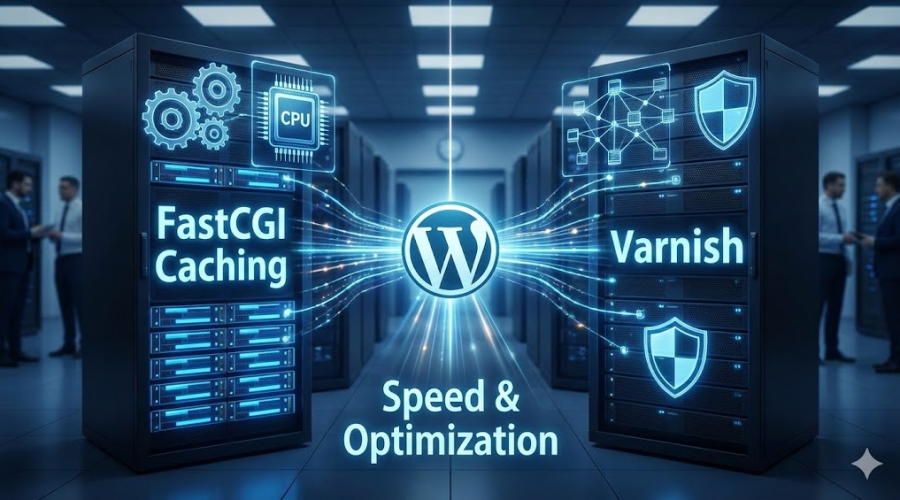
To truly scale a WordPress business, specifically in e-commerce or high-volume publishing, you have to look beyond the "optimized" plugins. You need to understand the engine room of your website. This is the story of why standard hosting architectures buckle under pressure and how Yhost uses a specific stack—NGINX paired with FastCGI Caching—to turn your website into an unshakeable asset.
Why Your WordPress Site Crumbles Under Pressure
To understand why your site slows down, we have to look at how WordPress actually works. It is the world's most popular Content Management System for a reason. It allows you to build complex, dynamic sites without being a code expert. But that flexibility comes with a heavy computational price tag.
WordPress is a dynamic application. This means that your website pages do not technically exist until someone asks for them.
When a customer clicks on a link to your product page, your server wakes up and performs a complex series of tasks. It launches PHP, the programming language that runs WordPress. It opens a connection to the database. It queries that database to find the product name, the price, the description, the image URLs, and the reviews. It then runs the logic for every single plugin you have installed. Finally, it stitches all these fragments together into an HTML file and sends it to the visitor.
For a single visitor, this process takes milliseconds. You barely notice it.
The problem arises when you have success. Imagine five hundred people clicking that link at the exact same moment. Your server now has to perform that entire complex construction process five hundred times in a single second.
The processor spikes to maximum usage. The database gets overwhelmed and locks up to protect itself. The queue of requests grows longer until the web server simply gives up. This is the fundamental bottleneck of dynamic content. You are asking your server to rebuild the same house from scratch every time a new person walks through the door.
The Trap of Adding More Hardware
When you hit this wall, the standard advice from most hosting companies is predictable. They tell you to pay them more money.
They suggest upgrading to a plan with more CPU cores and more RAM. This is known as vertical scaling. While it sounds logical, it is often a financial trap.
Doubling your hardware specs rarely doubles your capacity. If your underlying architecture is inefficient, you are just making the traffic jam wider, not faster. You end up paying hundreds of dollars a month for a server that sits idle most of the time yet still crashes when you run a Black Friday sale.
You don't need a bigger engine. You need a smarter way to drive. At Yhost, we believe in architectural efficiency over brute force spending.
Stop Building and Start Serving
The most effective way to handle massive traffic is to stop treating every visitor like a unique event. If your homepage hasn't changed in the last ten minutes, there is zero reason to force the server to rebuild it for the next thousand visitors.
This is where caching comes in. But we aren't talking about the standard caching plugins you install inside WordPress.
Plugins like WP Rocket or W3 Total Cache are excellent tools for optimization. They help organize your files. However, they suffer from a critical flaw when it comes to raw power. Because they are plugins, they live inside WordPress. This means that for the plugin to work, the server still has to load WordPress and start PHP execution just to ask the plugin if a cached page exists.
Under a massive traffic spike, simply starting PHP that many times is enough to crash the server.
Real scalability requires Server-Side Caching. We need to move the decision-making process away from the slow application layer and up to the lightning-fast web server layer. This is why Yhost builds every server on NGINX.
The NGINX Advantage
NGINX is the modern standard for high-performance web serving. Unlike older servers like Apache, which process requests in a way that consumes heavy memory for every connection, NGINX uses an event-driven architecture. It can handle tens of thousands of simultaneous connections with a very small memory footprint.
But the real magic happens when we configure NGINX to handle the caching itself. This feature is called FastCGI Caching.
Imagine NGINX as the receptionist at a busy office. In a standard setup, every time a visitor asks a question, the receptionist walks to the back office, asks the manager (WordPress), writes down the answer, and brings it back. It is slow and the manager gets nothing else done.
With FastCGI Caching, the receptionist gets smart. After the first visitor asks a question and gets an answer, the receptionist photocopies that answer and keeps it at the front desk. When the next five thousand people come in asking the exact same question, the receptionist hands them the photocopy instantly. The manager in the back office isn't even disturbed.
Real Business Impact
When you switch to this architecture, the change in performance isn't just noticeable. It is transformative.
Time to First Byte, or TTFB, is the metric Google uses to measure how long the browser waits before receiving data. On a standard unoptimized host, a TTFB of 800 milliseconds is common.
With the Yhost NGINX configuration, we routinely see TTFB drop to under 50 milliseconds.
This difference changes the economics of your hosting. A modest server that used to struggle with 50 concurrent users can suddenly handle 5,000 concurrent users without the CPU usage rising above 5%. You get enterprise-grade performance without the enterprise-grade price tag.
Why We Moved Beyond Varnish
If you have researched high-performance hosting before, you have likely heard of Varnish. For a long time, Varnish was the undisputed king of caching. It is a piece of software dedicated entirely to storing web pages in memory and serving them fast.
Many enterprise hosts still use Varnish. However, for the modern WordPress ecosystem, Yhost engineers believe Varnish has become an unnecessary complication.
Varnish is an extra layer in your infrastructure stack. It sits in front of your web server. The problem is that Varnish does not natively speak HTTPS, the secure protocol that runs the modern web. To make Varnish work, you have to put a proxy in front of it to decrypt the traffic, pass it to Varnish, which then passes it to your web server.
This creates a "sandwich" of software layers. It adds complexity. In engineering, complexity is the enemy of reliability. Every extra hop is a potential point of failure. If you need to purge the cache because you updated a price, you have to hope the signal makes it through all the layers correctly.
NGINX FastCGI Caching eliminates this complexity. NGINX handles the SSL security, the connection handling, and the caching all in one single, efficient piece of software. There is no middleman. There is less latency. There are fewer things to break.
Furthermore, NGINX allows us to use modern protocols like HTTP/2 and HTTP/3 natively. These protocols allow browsers to download multiple images and scripts simultaneously over a single connection, making your site feel instant on mobile devices. Getting Varnish to play nicely with these modern protocols often requires intricate workarounds.
Simplicity scales. Complexity breaks. That is why Yhost bets on the native capabilities of NGINX.
Keeping E-Commerce Dynamic
The most common hesitation I hear from business owners is the fear that caching will break their store.
It is a valid concern. We have all seen broken websites where you add an item to the cart, but the page refreshes and the cart is empty. Or worse, you visit a site and see someone else’s name in the account bar. This happens when caching is applied blindly.
A static blog is easy to cache. You can just freeze the whole site. An online store is a living, breathing organism. Parts of it are static, like the product image, but parts of it are dynamic, like the shopping cart widget.
At Yhost, we solve this not by turning caching off, but by making it intelligent.
Our NGINX configuration is scripted to understand the logic of WooCommerce. We set up rules that act as traffic conductors.
When a user lands on your homepage or browses your catalog, they are served from the high-speed cache. But the moment they perform a dynamic action—adding a product to the cart or logging into their account—NGINX detects the specific cookies associated with those actions.
Instantly and automatically, the system switches that specific user to a direct line. Their requests go straight to WordPress to ensure their cart data is always 100% accurate. Meanwhile, the thousands of other users who are just browsing continue to be served from the cache.
We also hard-code exclusions for critical areas. The checkout page, the account dashboard, and the WordPress admin panel are never cached. This creates a hybrid environment where you get the speed of a static site with the functionality of a dynamic application.
The Hardware Foundation
Software optimization is crucial, but you cannot ignore the physical reality of the hardware. FastCGI Caching works by saving a copy of the page to the server's storage. When a request comes in, NGINX reads that file and sends it to the user.
If your server is running on older storage technology, like standard hard drives or even older SATA SSDs, that reading process becomes a bottleneck.
This is why Yhost infrastructure relies exclusively on NVMe drives. NVMe is a storage protocol designed specifically for modern flash memory. It allows the server to read data at speeds that were unimaginable a few years ago.
A standard SSD might read data at 500 megabytes per second. An NVMe drive can read at 3,500 megabytes per second or more.
When NGINX pulls a cached page from a Yhost NVMe drive, the response is virtually instantaneous. It creates a user experience that feels less like loading a website and more like turning the pages of a digital magazine.
Security as a Consequence of Speed
There is a hidden benefit to this architecture that often gets overlooked. Security.
A slow server is a vulnerable server. If your site buckles under the load of 50 simultaneous visitors, it is incredibly easy for a malicious attacker to take you offline. They don't need a sophisticated botnet; they just need to send enough traffic to exhaust your PHP workers.
By front-loading your traffic through NGINX and serving 90% of requests from the cache, you are effectively building a shield around your database.
Attackers can flood your homepage with requests, but they are just hitting the NGINX cache. Your database sits quietly in the background, untouched.
We can also configure NGINX to act as a potent firewall. We can implement rate limiting, which automatically blocks IP addresses that are hitting the server too aggressively. We can block known bad bots and scrapers before they even touch your WordPress installation. Because NGINX handles connections so efficiently, it can filter out this malicious noise without slowing down the experience for your legitimate customers.
The Yhost Migration Process
The prospect of moving a large, active website is daunting. The fear of downtime or data loss keeps many business owners locked into subpar hosting contracts long after they should have left.
At Yhost, we have refined a migration process designed to eliminate this anxiety. We operate on the principle of cloning before cutting.
We never work on your live site initially. Instead, we pull a complete copy of your site to our staging environment. This is where we apply the NGINX optimization. We test your specific theme and plugin combination against our caching rules. We verify that the checkout works, that emails are sending, and that the design renders perfectly.
Only once the optimized clone is running perfectly do we make the switch. We use a technique called cache warming before we flip the DNS records. Our system crawls your new site, generating the cache files for your most popular pages.
When we finally point your domain to the Yhost server, the very first visitor doesn't encounter a slow, cold server. They get a cache hit. The transition is seamless. For your users, the site simply gets faster instantly.
Investing in ROI
In the early days of a business, it makes sense to save money where you can. But as you grow, your infrastructure shifts from being a cost center to being a profit multiplier.
Google has made Core Web Vitals a ranking factor. They explicitly penalize slow sites. If your Time to First Byte is lagging, you are paying a tax in the form of lower search rankings.
Amazon and Walmart have published extensive data showing that every 100 milliseconds of latency costs 1% in revenue. If your site takes three seconds to load, you are leaving massive amounts of money on the table from customers who simply got bored and clicked away.
Moving to a managed Yhost stack is not an expense. It is an investment in conversion rate optimization.
You are an entrepreneur. Your expertise lies in your product, your market, and your team. You should not have to spend your days debugging server timeout errors or reading forums about PHP configuration.
Our role is to provide the infrastructure that makes your technology invisible. When the server works perfectly, you stop thinking about it. You stop worrying about traffic spikes and start seeing them for what they are. Opportunities.
Let Us Audit Your Speed
I don't believe in selling on specs alone. I believe in selling results.
If you are currently struggling with a WordPress site that feels sluggish, or if you are terrified of your next marketing campaign crashing your server, I invite you to a conversation.
Let the Yhost team look at your current setup. We can run a detailed audit of your site’s performance architecture. We will show you exactly where the bottlenecks are, whether it is a slow database query, a plugin conflict, or, as is most likely, a server that simply cannot breathe.
We can take your WordPress site, place it on a modern stack with NGINX, FastCGI Caching, and NVMe storage, and unlock the performance that has been stifled by legacy hosting.
Stop accepting "good enough." Your business deserves infrastructure that runs as fast as you do. Let’s make your website fly.